At the moment; our organisation is in the middle of a merge project where we are squashing an acquired core system in our existing core system.
To support the project – the Environments team are busy juggling around different development and testing environments; with applications sifting from server to server and different areas getting locked down.
Of course, with all the activity going on, one of our Qlik Replicate tasks started to fail with the following error message:
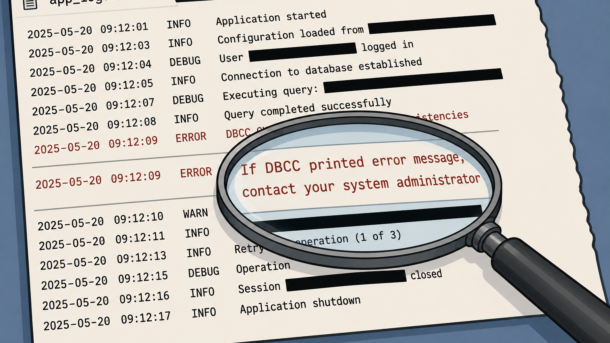
00018372: 2025-04-23T15:00:15 [SOURCE_CAPTURE  ]W:  Capture functionalities could not be set. RetCode: SQL_ERROR  SqlState: 01000 NativeError: 2528 Message: [Microsoft][ODBC Driver 18 for SQL Server][SQL Server]DBCC execution completed. If DBCC printed error messages, contact your system administrator. Line: 1 Column: -1   (sqlserver_log_utils.c:1831)
00018372: 2025-04-23T15:00:15 [SOURCE_CAPTURE  ]I:  Full logging setup approved for 6 out of 7 tables  (sqlserver_log_utils.c:2315)
00018372: 2025-04-23T15:00:15 [SOURCE_CAPTURE  ]W:  Capture functionalities could not be set. RetCode: SQL_ERROR  SqlState: 01000 NativeError: 2528 Message: [Microsoft][ODBC Driver 18 for SQL Server][SQL Server]DBCC execution completed. If DBCC printed error messages, contact your system administrator. Line: 1 Column: -1   (sqlserver_log_utils.c:1831)
00018372: 2025-04-23T15:00:15 [SOURCE_CAPTURE  ]I:  Full logging setup approved for 1 out of 7 tables  (sqlserver_log_utils.c:2315)
00018176: 2025-04-23T15:00:15 [TASK_MANAGER    ]W:  Table 'dbo'.'my_table' (subtask 0 thread 0) is suspended. Failure in executing add article.  (replicationtask.c:3208)
00018372: 2025-04-23T15:00:15 [SOURCE_CAPTURE  ]W:  Capture functionalities could not be set. RetCode: SQL_ERROR  SqlState: 01000 NativeError: 2528 Message: [Microsoft][ODBC Driver 18 for SQL Server][SQL Server]DBCC execution completed. If DBCC printed error messages, contact your system administrator. Line: 1 Column: -1   (sqlserver_log_utils.c:1831)
00018176: 2025-04-23T15:00:15 [TASK_MANAGER    ]E:  Table error occurred. Based on error behavior policy, task will stop. [1021705]  (replicationtask.c:3227)
In the intial scramble to find the solution (it was Sunday and initially I wasn’t meant to be working); a Google search didn’t come up with a solution. Nor a search over the Qlik forums.
The DBA didn’t have a clue as well (although I think he was out on a boat fishing at that time so his heart wasn’t in it)
Then in a moment of clarity I remember. I have come across this error message before and I documented it down in our internal wiki. Had no clue why I didn’t search there first.
Logging to the rescue
If dear reader have come to my humble sight through a google search. Or (sigh) through aggregated AI; this is what we did.
First; increase the logging for “Source Capture” to “Trace” and rerun the task. Look for the error message:
00002492: 2025-04-28T08:45:00 [SOURCE_CAPTURE ]T: RetCode: SQL_ERROR SqlState: 42000 NativeError: 21798 Message: [Microsoft][ODBC Driver 18 for SQL Server][SQL Server]Cannot execute the replication administrative procedure. The 'logreader' agent job must be added through 'sp_addlogreader_agent' before continuing. See the documentation for 'sp_addlogreader_agent'. Line: 1 Column: -1 [1022502] (ar_odbc_stmt.c:5090)
If you received an error message like this; then the SQL log reader could have stopped. Ask the DBAs to restart the log reader. For our particular instance – all they need to run is:
USE [master];

EXEC problem_db.sys.sp_addlogreader_agent;
After the DBAs have run the command; the task can be resumed.
Don’t forget to drop the loging back to INFO once you’re finished.